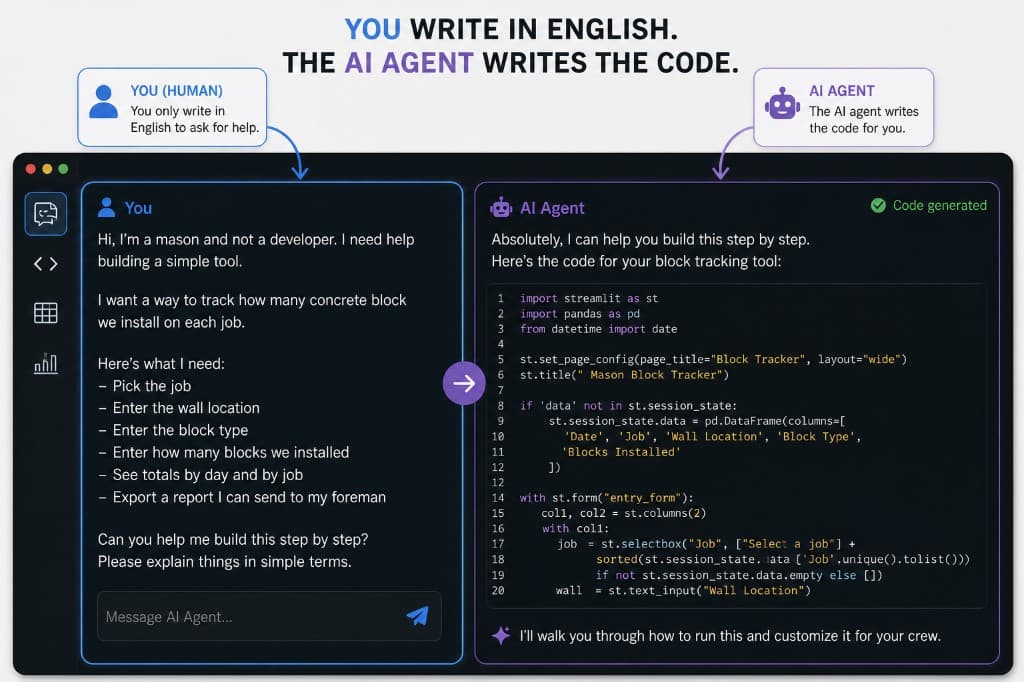
You Don't Need to Code to Build Construction Software Anymore
A senior software engineer at a well-known construction tech company spent eight weeks on a discovery sprint to understand a buyout log.
Eight weeks. To understand a spreadsheet our PE updates between phone calls.
By the time they shipped a feature, the time we could have saved using the tool had already been spent educating this guy on how the construction industry works.
That story used to feel embarrassing. Now it's just the model.
The Translation Tax
The reason traditional software development has always been slow for construction is the same reason buyout meetings run long: nobody outside the trade actually understands the trade.
A software engineer has to learn what a buyout log is, why bid leveling matters, why a poorly written RFI gets bounced twice, what "sequence of operations" means in an MEP shop, why a super won't open an app that takes more than three taps, and what actually lives inside a clarifications log. Most of a custom software budget doesn't go to writing code. It goes to translation—requirements gathering, context setting, iteration cycles.
In construction, that tax is worse. Our processes aren't standardized, aren't documented, and live in someone's head, inbox, or spreadsheet. That translation cost used to be unavoidable. It isn't anymore.
What AI Actually Changed
AI didn't automate construction. It removed the hardest part of building software.
UI scaffolding, API wiring, data mapping, error handling—all of that used to require technical experience. Now it requires clear direction. Which means the most valuable input is no longer coding skill. It's context. And the people with the most context aren't sitting in a tech office—they're estimators running bid boards, PMs chasing RFIs, supers rewriting daily reports, and ops leaders cleaning up broken workflows.
These people have already built the software in their heads. AI just gave them a way to express it.
Why This Matters More Than People Think
This isn't about saving time on small tasks. It changes who builds the systems that run your company.
Historically, software was built externally, delivered slowly, adopted poorly, and updated rarely. Now it can be built internally, by the people who actually use it, updated the same day something breaks, and designed around how work actually happens—not how a vendor assumes it does.
The advantage isn't speed of the first build. It's speed of iteration after the build. That's where most software dies. A vendor tool takes months to adjust. An internal tool changes the same day someone complains about it. That's not a small advantage—it's structural.
Adoption Is the Whole Game
Code quality matters. Adoption matters more.
The best construction software isn't the most advanced—it's the one the field actually uses. When the person who built the tool sits in OAC meetings, knows the foreman, and feels the friction directly, the tool evolves differently. There's no support ticket. There's no roadmap deck. There's someone saying "hey, this dropdown is annoying" and it getting fixed in 20 minutes. That feedback loop is what creates software that actually sticks.
The Risk Most Firms Are Missing
The risk isn't that internal builders create imperfect tools. They will. The risk is doing nothing.
Firms that ignore this shift will keep buying rigid SaaS tools, keep forcing teams into workflows that don't fit, and keep paying for features nobody uses. Meanwhile, a competitor with two or three internal builders, AI-assisted workflows, and tight feedback loops will quietly outperform them on speed, accuracy, and labor efficiency. It won't look like disruption. It'll just look like one company that runs better.
How to Actually Start
The mistake is trying to "build software." Don't.
Start with a workflow—a real one, already happening, already painful. RFIs scattered across systems. Submittals renamed by hand. Daily reports rewritten every day. Meeting notes going nowhere. Scope gaps that don't surface until bid day.
Don't start with "we should build a platform." Start with one specific thing that happens repeatedly, costs time, and has a clear output. That's buildable. Everything else comes after.
Step 1: Map the Workflow Before You Touch Any Tool
Define the process first. Use AI as a planning partner here:
You are not coding yet. You are defining scope—same as preconstruction.
Step 2: Break It Into Build Packages
Don't build everything at once. Break it down like a project.
Each piece gets built and tested on its own before the next one starts. Intake, extraction, human review, output to a shared log, notifications, status tracking—each one is its own scope with its own acceptance criteria.
This should feel familiar. You wouldn't ask one trade to build the whole building. You break the job into scopes, sequence the work, define handoffs, and inspect the output. AI-assisted software works the same way.
Step 3: Design Before You Build
A common mistake is asking AI to start building immediately. That feels productive and usually creates a mess.
Before asking for code, ask AI to design the system:
The goal isn't to sound technical. It's to prevent chaos before the first line of code gets written.
Step 4: Let AI Teach You the Tools
You don't need to know the tools before you start. You need to ask better questions.
If you're using Power Automate:
If you're using Cursor, Replit, Lovable, Bolt, or another AI coding tool:
That last line is worth following.
Step 5: Build the Dumb Version First
Your first version should be almost embarrassingly simple. A button. A form. A spreadsheet output. A review screen. A status column. That's enough.
The first version isn't supposed to impress anyone—it's supposed to prove whether the workflow is worth automating. A good first version of an RFI tool might not integrate with Procore yet. It might just extract an RFI draft from an email and drop it into a shared log for review. A good first version of a daily report tool might just turn messy field notes into a cleaner draft.
One useful workflow at a time.
Step 6: Test With the Person Who Actually Does the Work
Don't test it only with the person who had the idea. Test it with the estimator, the PM, the super, the project engineer, the admin who actually updates the log. Watch them use it.
You'll immediately see the confusion points, missing fields, extra clicks, bad assumptions, and places where the workflow doesn't match reality. That's not failure—it's exactly what you're looking for. Internal tools win because they can evolve quickly. The feedback loop is the advantage.
Step 7: Add Automation Gradually
Don't jump straight to full automation. That's how bad systems create expensive mistakes.
Start with assisted workflows, then move toward automation as trust builds. AI drafts or extracts information, a human reviews and approves it, the system saves it and notifies the right people. Only after that process has proven itself do you start letting the system act automatically. Construction carries too much risk to skip that step.
Step 8: Decide Where the Data Lives
Every internal tool needs a source of truth. For a simple tool that might be Excel, Google Sheets, SharePoint, Airtable, or Smartsheet. For something more serious, Dataverse, Supabase, a SQL database, or an existing system like Procore or an ERP.
The right question isn't "what database should I use?" It's "where should this information live so the right people can trust it later?" Most first versions should start with the simplest source of truth the team will actually open.
Step 9: Build in Human Checkpoints
AI will make mistakes. So will the people using it. The answer isn't to avoid AI—it's to design checkpoints.
Anything touching cost, contract language, schedule impact, safety, compliance, client communication, subcontractor commitments, change orders, or payment should have a human in the loop before action is taken. A good internal tool makes the next step easier. It doesn't quietly make risky decisions in the background.
The difference looks like this: AI receiving an email and automatically generating a change order is a problem waiting to happen. AI receiving the same email, identifying a possible change, drafting the language, attaching supporting references, and sending it to the PM for approval—that's useful, controlled, and how AI should actually enter construction operations.
Step 10: Know When to Bring in Real Help
AI-assisted building is great for prototypes, internal workflow tools, dashboards, intake forms, document helpers, low-risk automation, reporting, and data cleanup. It has real limits when the tool touches payroll, accounting, contract commitments, compliance or safety records, payment applications, lien rights, or sensitive company data across many users.
That doesn't mean you stop. It means you bring in an engineer, IT lead, or technically experienced builder to harden the system. The construction person still leads the workflow. The technical person makes it secure, reliable, and maintainable. Not software people guessing how construction works—construction people defining the work, using AI to build the first version, and bringing in technical help when the risk actually justifies it.
The Operator-Builder
The person who wins in this environment isn't a traditional developer. It's not a pure estimator either.
It's someone who understands the work, the friction, the risk, the people, the data, and the handoffs—and then uses AI to turn that knowledge into tools. Estimator plus systems thinker. PM plus builder. Ops leader plus workflow designer.
These people will become some of the most valuable in construction. Not because they write clean code, but because they see problems other people have learned to tolerate—and now they can actually fix them.
The Opportunity
For decades, construction had to wait for software vendors to catch up. That's no longer the constraint.
The firms that move on this won't look like tech companies. They'll look like construction companies that run tighter, faster, and with less friction—cleaner logs, faster follow-up, better bid tracking, fewer missed emails, more consistent reports. And over time, a company that knows how to build its own systems stops accepting broken workflows as a cost of doing business.
That's the real opportunity. Not replacing construction people with software—giving construction people the ability to build the software they always wished someone else would build for them.