Construction Automation 101
Learn what's now possible in construction automation and discover how to streamline your workflows, reduce errors, and improve productivity across your entire organization.

What is Construction Automation?
It's the difference between manually copying RFI details from email into your project management system versus having it happen automatically. It's standardizing your estimate templates so every bidder uses the same structure. It's getting daily reports from the field without your PM having to chase down foremen.
In short: automation removes the repetitive admin work so your team can focus on building. Here are tools you already use that can be automated:
- Excel — Auto-format bid tabs, populate cost templates, sync data between sheets
- Procore — Create RFIs from emails, push daily log reminders, sync with accounting
- Bluebeam — Batch markup, auto-name sheets, export punch lists to PM tools
- Outlook / Teams — Route emails to projects, auto-schedule meetings, trigger alerts
- Sage / Viewpoint — Auto-generate pay apps, sync job cost data, flag budget variances
- SharePoint / Box — Organize documents by project, auto-tag files, notify on uploads

Why Automate and Why Now?
Why automate? Automation reduces errors, speeds up processes, and ensures consistency. From business development to project closeout, connected workflows mean less rework, fewer missed deadlines, and better project outcomes. Teams cut bid prep time, eliminate lost RFIs, and stay on top of compliance. It won't speed up permit approvals or make subs respond faster—but it will keep your estimates consistent, your handoffs clean, and your team off repetitive data entry.
Why now? The emergence of AI has opened possibilities that didn't exist a few years ago. You can process mass information to catch small details—spec conflicts, missing items, inconsistent dates—that humans miss at scale. Simple translation makes multilingual specs and crew communication straightforward. Communication gets more efficient: draft RFIs, meeting notes, and follow-ups in minutes instead of hours. Automated formatting turns rough notes into consistent reports, proposals, and submittals. And expert-level consultation is available 24/7: ask a model to sanity-check a clause, suggest alternate phasing, or explain a standard. The combination of classic workflow automation and AI makes this the right moment to act.
Getting Started
Start small with one workflow. Identify repetitive tasks—like copying RFI details or rebuilding bid tabs—map your current process, and gradually introduce automation. Success builds on success—each automated workflow makes the next one easier.
Key Benefits
- Faster project delivery
- Reduced errors and rework
- Less admin time, more time on priority work
- Better team collaboration
- Improved profitability
Automate Across Your Company
Automation opportunities exist in every department
Business Development
Track opportunities, automate proposals, and streamline handoffs to estimating.
Estimating
Standardize takeoffs, maintain cost databases, and generate consistent bids.
Project Management
Connect field and office, automate RFIs, and keep schedules up to date.
Administration
Automate invoicing, document management, and compliance reporting.
Related Articles
View all articles →
The Data Privacy Rules of Using ChatGPT and Claude at Work
Most construction teams are already using AI. The unanswered question is what project information belongs in ChatGPT and Claude—and what doesn't.
Read article →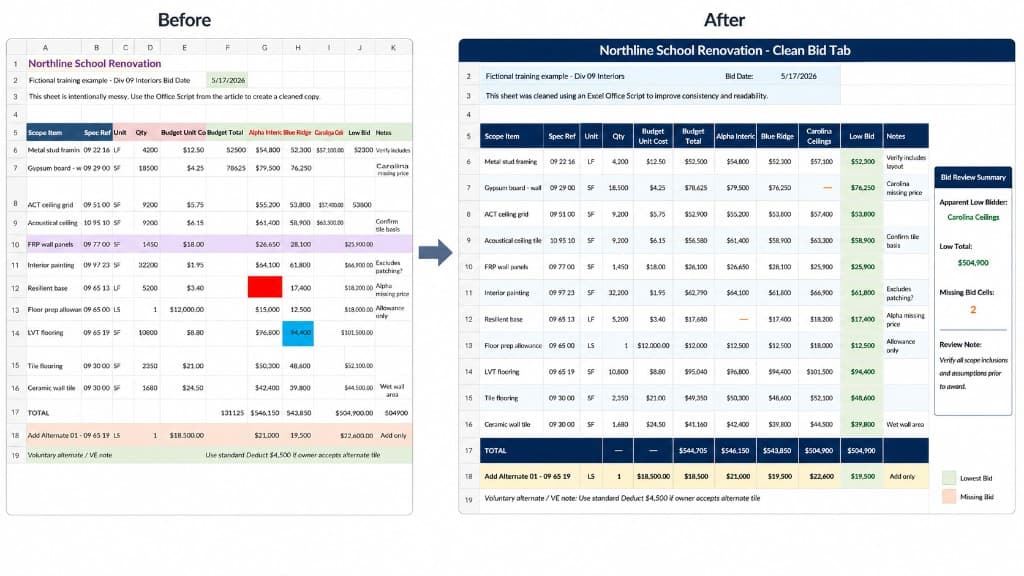
How to Use ChatGPT to Write an Excel Script for Construction Spreadsheets
Use ChatGPT and Excel Office Scripts to clean up routine construction spreadsheets—bid forms, punch lists, tracking logs, and analysis worksheets. Download the practice workbook, paste the script, run it on a copy, and iterate.
Read article →
Three Birds
A parable about risk and growth.
Read article →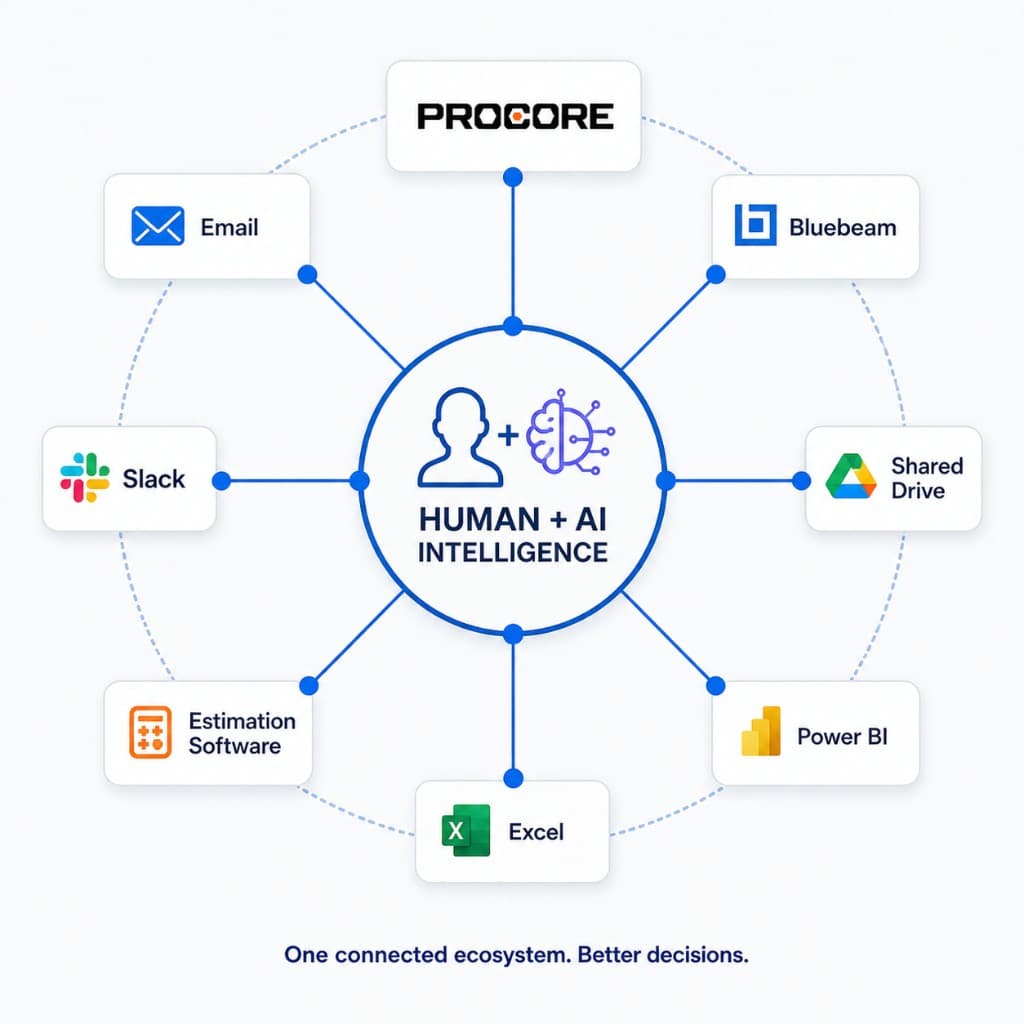
Did You Know? Automation Connectors for Procore and Common Construction PM Software Are Available Today
Procore Connect, ACC Connect, Power Automate, and data platforms already support real actions—RFIs, submittals, change orders, drawings, and cross-system sync—not just file exports. Here is what is on the shelf today and how to pilot safely.
Read article →